


✨ 2026 MASTER EDITION
🚀 NJ BOTS – Complete Discord Bot List & Community Platform
The ultimate open-source Discord bot directory, server bumping portal, real-time SVG profile badges, and 149-command multi-purpose bot ecosystem built with Node.js & MongoDB Atlas.
📑 Master Table of Contents
- 🔑 Step 0: License Keys & 1-Week Free Trial
- ✨ Comprehensive Platform Features
- 📸 Screenshots & Live Demos
- 🔰 Beginner Step-by-Step Installation Guide (Steps 1–6)
- ⚙️ Complete Configuration Reference (config/)
- 🤖 Bot Command Catalog (149 Commands)
- ❓ Frequently Asked Questions & Troubleshooting
- 📜 License & Copyright
🔑 Step 0: License Keys & 1-Week Free Trial
The platform comes with built-in 1-Week Free Trial support for all new deployments, as well as permanent lifetime licensing:
🎁 1-Week Free Trial Key: NJ-BOTS-ORIGINAL-2026
- Universal Trial Key: Every new installation can use the default license key:
NJ-BOTS-ORIGINAL-2026. - Duration: 7 Days (1 Full Week) of completely unrestricted access to all features (Bot Directory, Servers Directory, Bot App, Web Dashboard, Backups, Auto-Responder, and Moderation).
- Expiration Behavior: After 7 days, the platform will safely halt in the terminal with an expiration notice prompting you to collect your permanent license key.
👑 How to Get a Permanent Lifetime License Key
To upgrade from the 1-Week Free Trial to a Permanent Lifetime License Key, contact the official developer through any of the verified channels below:
| Platform | Contact Link / Details | Direct Action |
|---|---|---|
| 💬 Discord Community | discord.gg/RYyDBuP7se |
Join Discord Server |
+9660570582786 |
Message on WhatsApp | |
| 🌐 Official Website | www.naufal.in |
Visit naufal.in |
💡 Tip for Buyers: When requesting your permanent license key, provide your Discord User ID so your license is locked to your account for maximum security and anti-theft protection!
✨ Comprehensive Platform Features
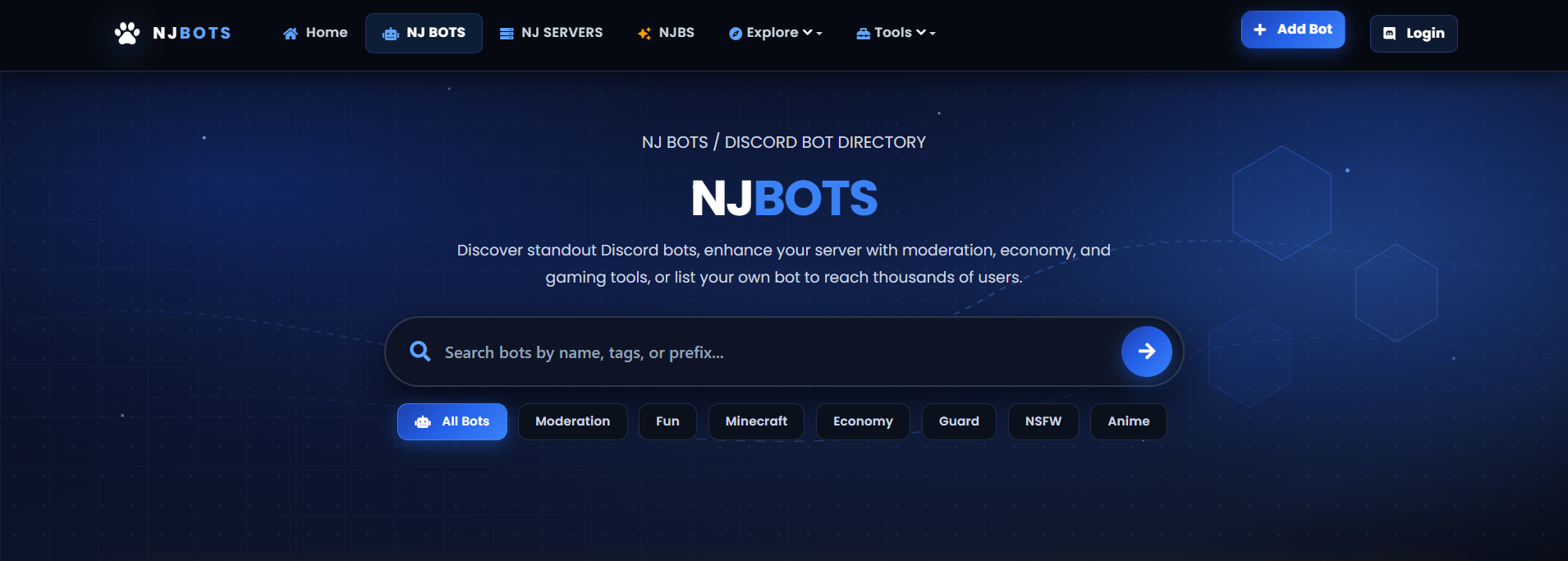
🤖 NJ Bots Directory (/bots)
Full-featured Discord bot list with real-time online status indicators, search filters, 12h/24h upvote engine, and 5-star community reviews.
🌐 NJ Servers Directory (/servers)
Discord server discovery portal with daily bumping, live member analytics, multi-tag filtering, and bump rankings.
✨ NJBS Bot APP (/njbs)
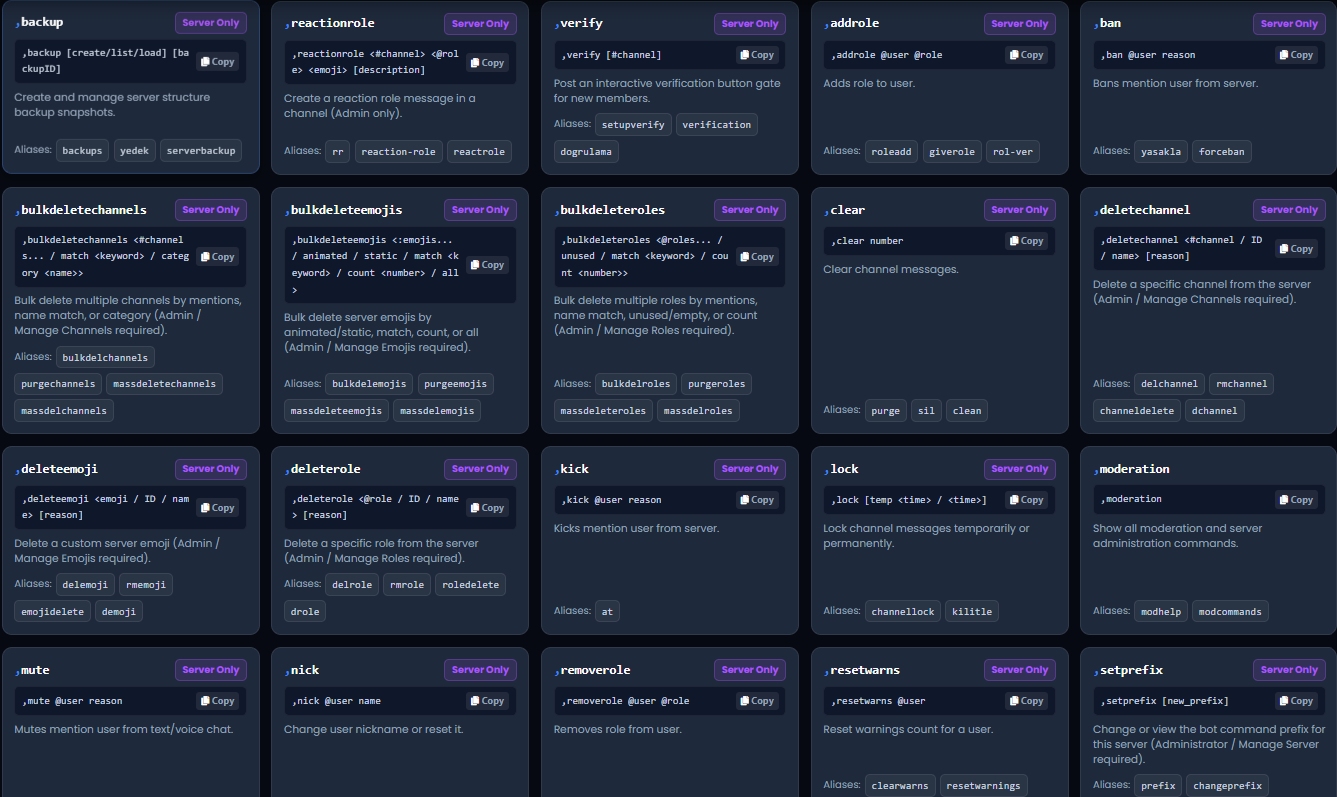
Interactive bot command catalogue, application integrations, and real-time Discord bot statistics.
🏆 Community Leaderboard (/leaderboard)
🥇 Gold, 🥈 Silver, and 🥉 Bronze podiums for Top Voted Bots, Top Bumped Servers, and Most Active Community Members.
🔗 Custom Vanity URLs (/vanity/apply)
Short branded vanity links (/b/:vanity for bots and /s/:vanity for servers) with custom redirect handling.
🎖️ Bot Certification Portal (/certification)
Elite developer verification badges with priority search positioning and certified developer Discord roles.
💻 Code Share Hub (/codes)
Public Discord developer snippet library featuring syntax highlighting for Discord.js v12/v14 and Python code snippets.
⚡ 24/7 Uptime Monitor (/uptime/links)
Automated HTTP/HTTPS health checks with live ping statistics and instant Discord webhook downtime notifications.
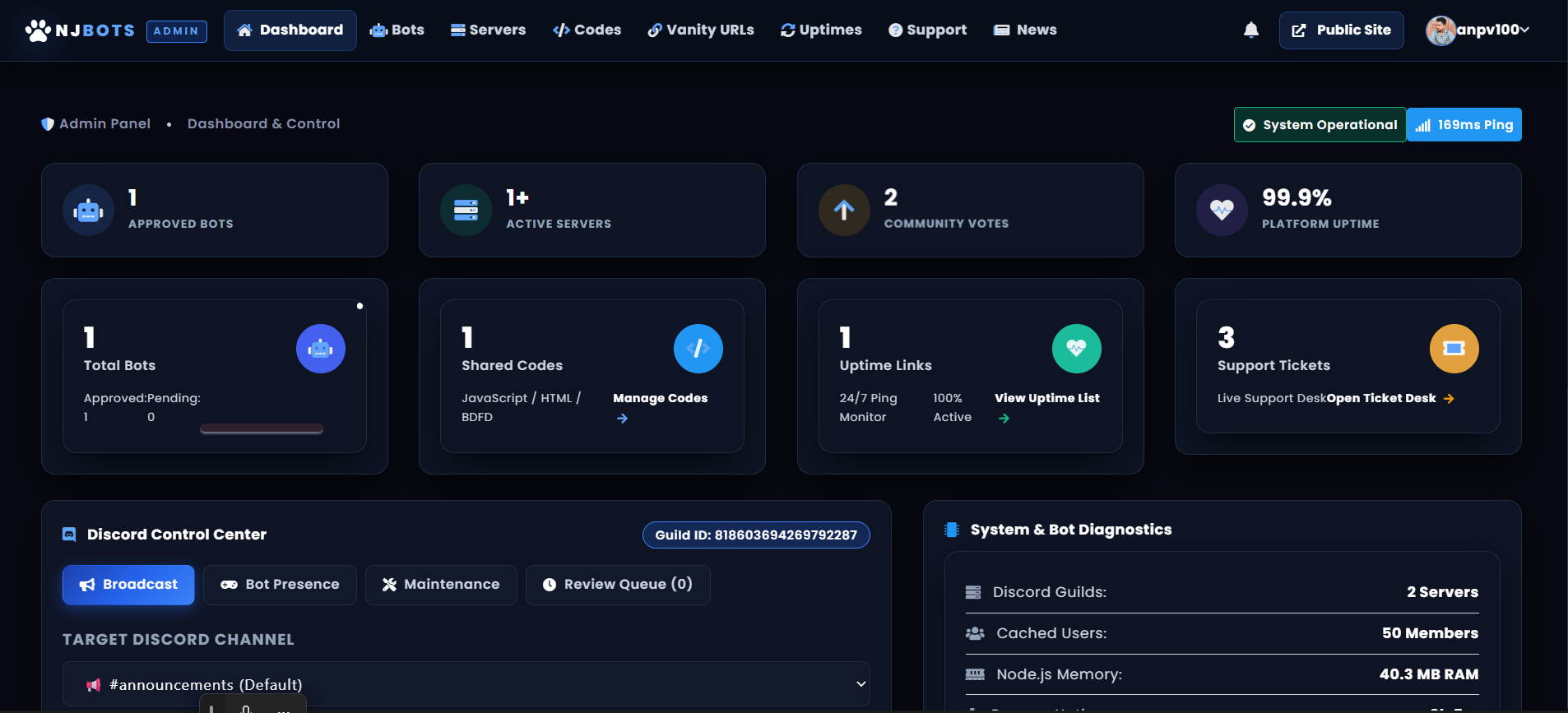
🛡️ Executive Admin Dashboard (/admin)
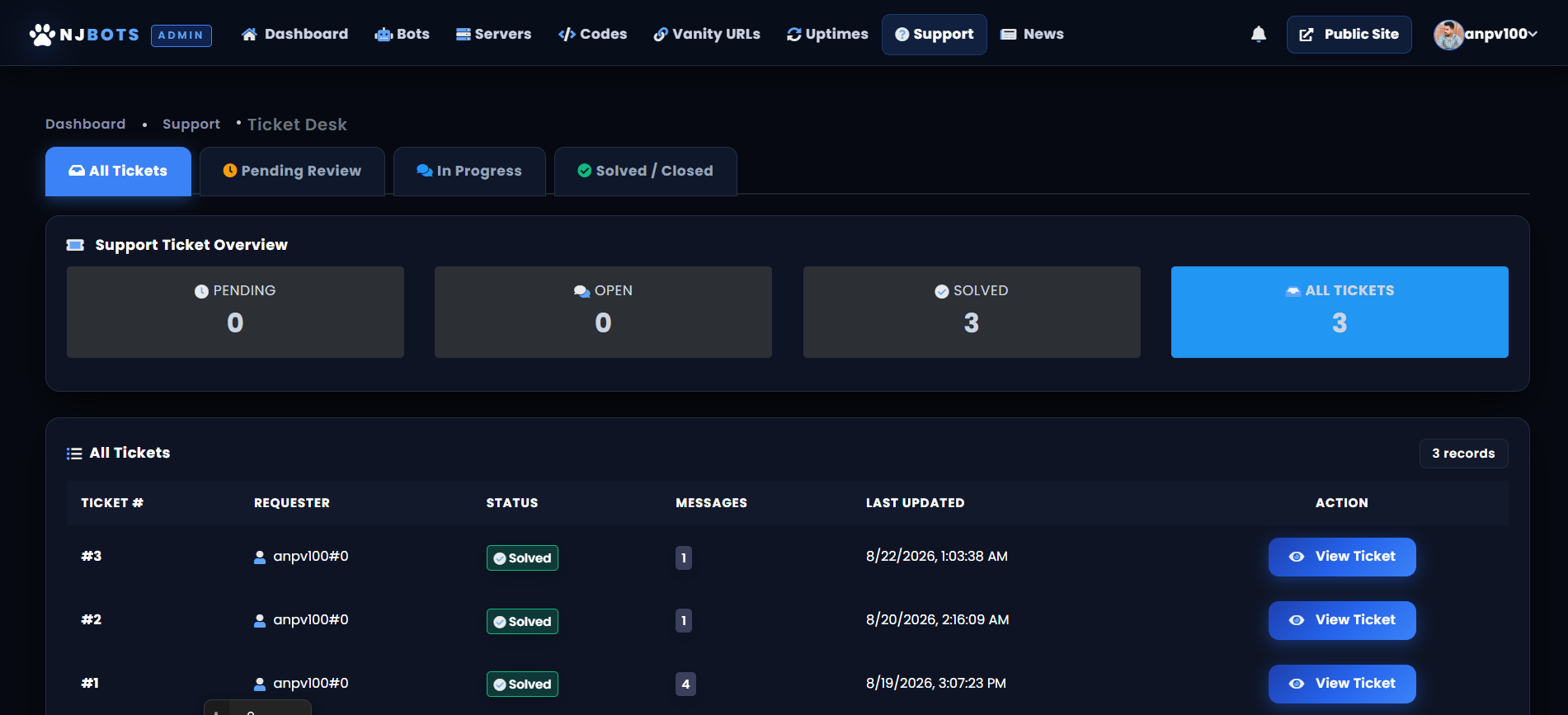
Full moderation suite for bot/server review queues, user bans, staff roles, and global platform announcements.
📸 Screenshots & Live Showcase
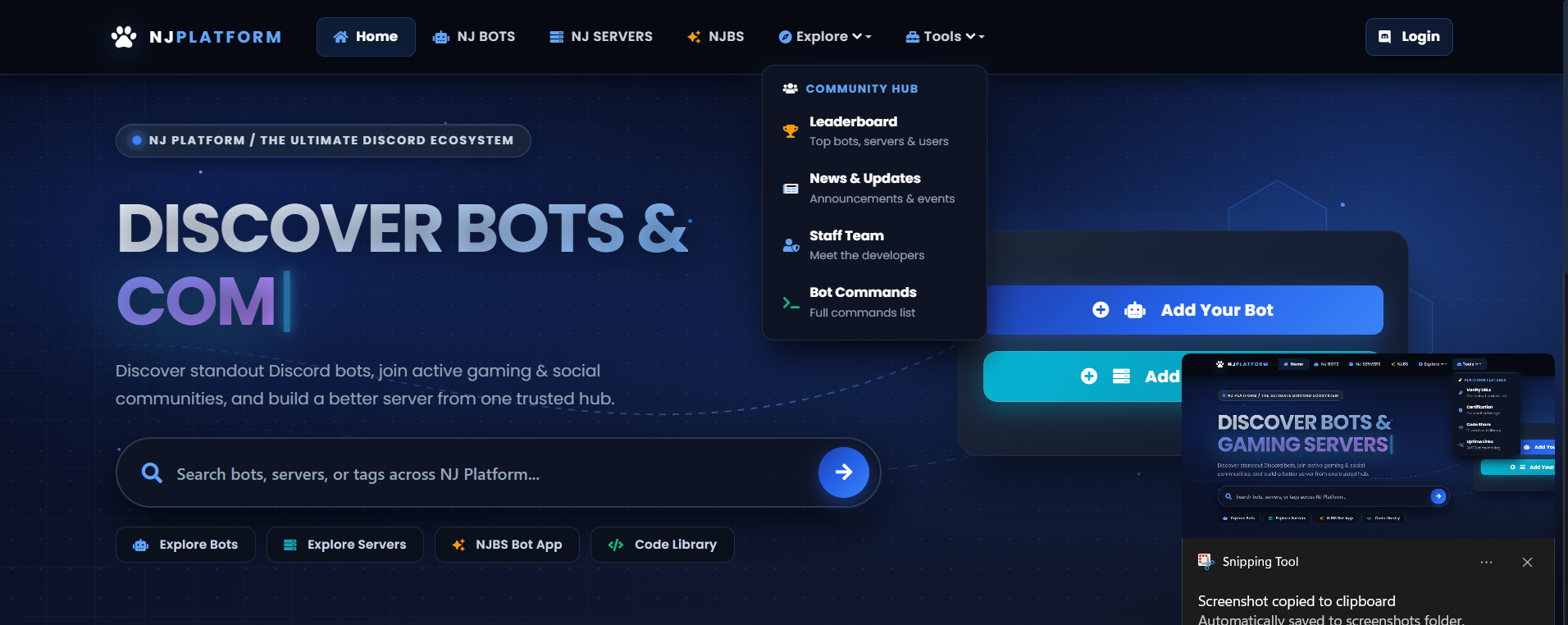
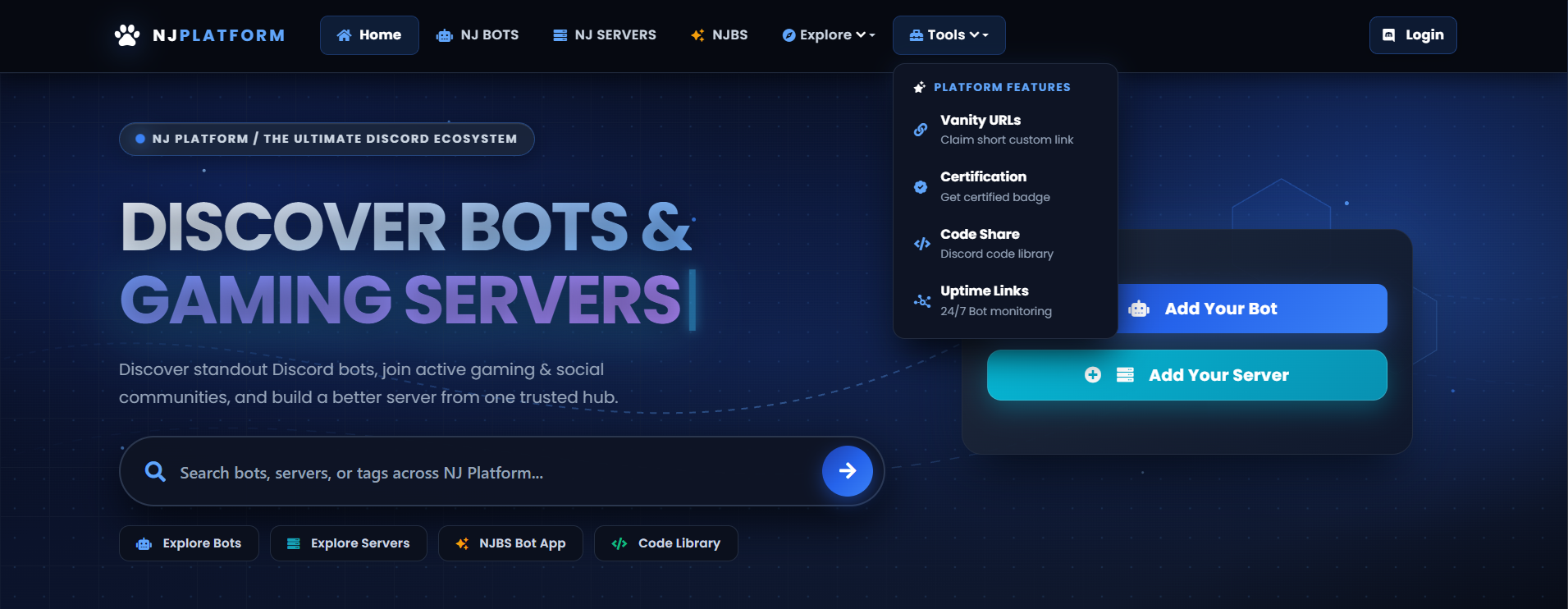
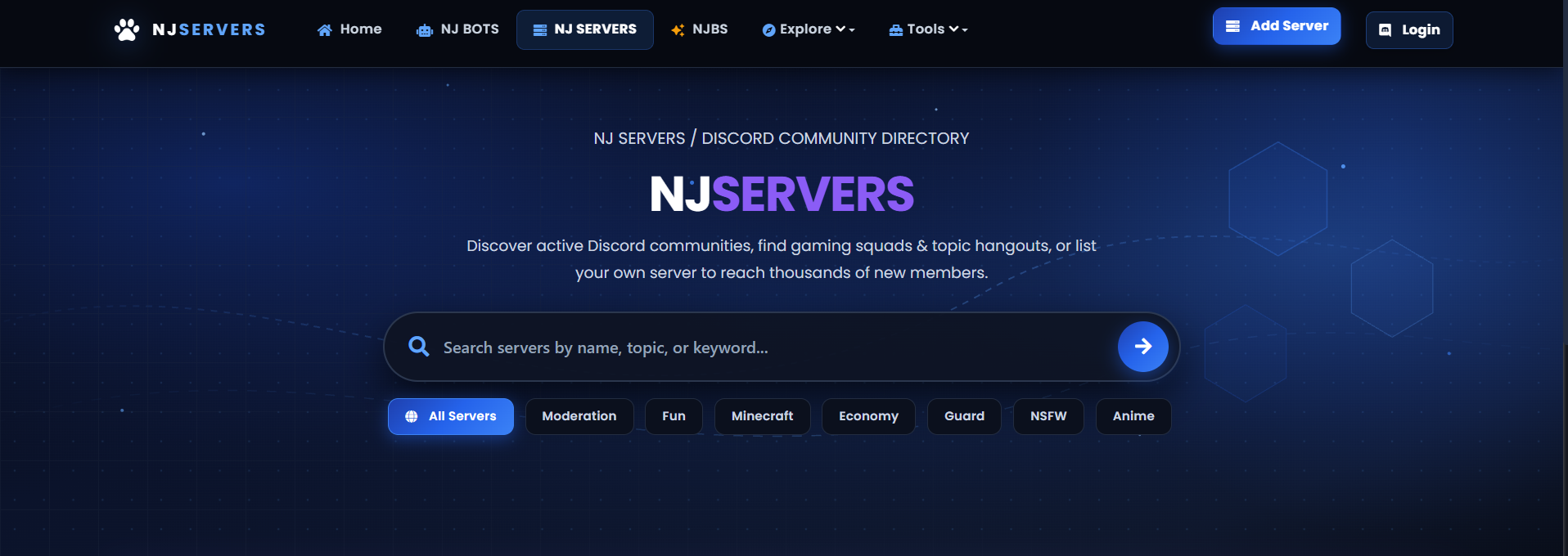
🌐 Modern Platform Landing Page & Hero Portal
🤖 Discord Bot Directory (/bots)
🏰 Server Directory & Bumping (/servers)
💻 Interactive Discord Bot Commands Hub (/commands)
🛡️ Executive Staff & Admin Control Center (/admin)
📊 Content Management & Tabs
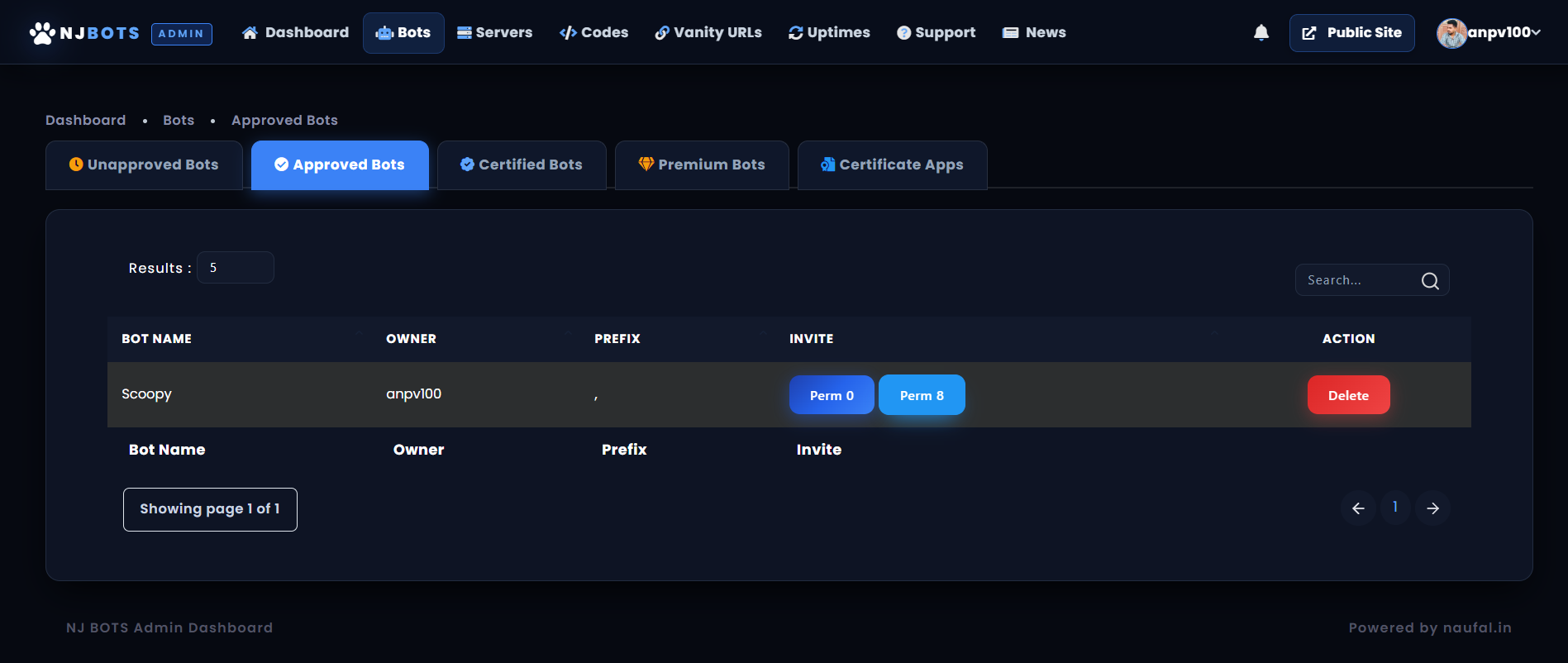
🔍 Staff Bot Review & Queue System
🔰 Beginner Step-by-Step Installation Guide
-
Step 1: Install Node.js 18+
Go to the official Node.js Download Page. Download and install Node.js 18 (LTS) or higher for Windows, macOS, or Linux. Verify in terminal:
node -v npm -v -
Step 2: Create a Free MongoDB Database (Step-by-Step)
- Sign Up: Go to MongoDB Atlas Cloud and create a free account.
- Create Database Cluster: Choose the FREE Shared (M0) tier and select the region closest to your server.
- Database User: Under Database Access, click Add New Database User with username (e.g.
botuser) and a strong password. - Network Access: Under Network Access, click + Add IP Address → Select Allow Access from Anywhere (0.0.0.0/0).
- Copy URI: Click Connect → Drivers (Node.js) → Copy your connection string (e.g.
mongodb+srv://<db_user>:<db_password>@cluster0.example.mongodb.net/discord_bot?retryWrites=true&w=majority
-
Step 3: Create Discord Bot & OAuth2 Application
- Go to the Discord Developer Portal and click New Application.
- Copy IDs: On General Information, copy Application ID (for
clientid) and Client Secret (forclientsecret). - OAuth2 Redirect: Under OAuth2 → Redirects, add:
http://localhost:5000/callback(orhttps://yourdomain.com/callback). - Bot Token: Under Bot tab, click Reset Token and copy the token into
tokeninconfig/settings.json. - Privileged Intents: Scroll down and enable all 3: Presence Intent, Server Members Intent, and Message Content Intent.
- Invite to Server: In OAuth2 → URL Generator, select
bot+applications.commandswithAdministratorpermission, and invite the bot to your server.
-
Step 4: Configure Settings, Roles & Channels
Clone the repository and open
config/settings.jsonto configure your credentials:{ "token": "YOUR_DISCORD_BOT_TOKEN", "prefix": ",", "owner": ["YOUR_DISCORD_USER_ID"], "clientid": "YOUR_DISCORD_CLIENT_ID", "clientsecret": "YOUR_DISCORD_CLIENT_SECRET", "callback": "http://localhost:5000/callback", "port": 5000, "domain": "localhost:5000", "siteName": "NJ BOTS", "brandPrefix": "NJ", "chatChannelName": "NJ Bots Community Chat", "mongoURL": "mongodb+srv://<db_user>:<db_password>@cluster0.example.mongodb.net/discord_bot?retryWrites=true&w=majority", "serverID": "YOUR_DISCORD_SERVER_ID", "serverInvite": "https://discord.gg/yourinvite", "licenseKey": "NJ-BOTS-ORIGINAL-2026", "footer": "www.naufal.in" } -
Step 5: Start the Bot & Web Dashboard
In your project directory terminal, install dependencies and launch the application:
# 1. Install all dependencies
npm install

# 2. Start the Discord Bot & Web Server
node main.js
You will see the clean live startup confirmation logs:
  ✔  [TRIAL LICENSE]  1-Week Free Trial Active  → Remaining: 6d 23h | Key: NJ-BOTS-ORIGINAL-2026
  ✔  [COMMANDS  ]  Bot Commands          → Loaded 149 commands (11 categories)
  ✔  [DASHBOARD ]  Web Dashboard          → Online at http://localhost:5000
  ✔  [DATABASE  ]  Mongoose ODM          → Connected to MongoDB Atlas
  ✔  [BOT READY ]  NJ BOTS               → Online & Active in 1 Servers
  ✔  [SLASH CMDS]  Application Commands  → Registered 70 slash commands (Guild & Global)
Open
http://localhost:5000in your browser to explore your live platform! 🎉 -
Step 6: One-Click Auto-Setup in Discord (
/setup)Once your bot is online inside your Discord support server, execute this command in any staff channel:
/setupThe bot will automatically create all missing channels, staff roles, and logging webhooks, and auto-populate
config/roles.jsonandconfig/channels.jsonwithout manual effort!
⚙️ Complete Configuration Reference (config/)
1. config/settings.json
| Setting Key | Type | Description | Default / Example |
|---|---|---|---|
token |
String | Discord Bot Token from Developer Portal. | "MTA5..." |
prefix |
String | Chat command prefix. | "," |
owner |
Array | Discord User IDs with Root Admin access. | ["8320..."] |
clientid |
String | Discord Application ID for OAuth2 login. | "1092..." |
clientsecret |
String | OAuth2 Client Secret. | "aBc12..." |
callback |
String | OAuth2 Redirect URL. | "http://localhost:5000/callback" |
port |
Number | HTTP Server listening port. | 5000 |
domain |
String | Live domain or localhost. | "localhost:5000" |
siteName |
String | Platform title displayed in headers. | "NJ BOTS" |
brandPrefix |
String | Short brand prefix for titles and embeds. | "NJ" |
mongoURL |
String | MongoDB Atlas Connection URI. | "mongodb+srv://..." |
serverID |
String | Primary Discord Support Server ID. | "1091..." |
licenseKey |
String | License Key (Default: 1-Week Free Trial). | "NJ-BOTS-ORIGINAL-2026" |
footer |
String | Footer branding attribution. | "www.naufal.in" |
tags |
Array | Searchable categories for bots and servers. | ["Moderation", "Fun", "Economy", ...] |
2. config/roles.json
| Role Key | Description & Permissions |
|---|---|
administrator / yonetici |
Full Admin role with access to Executive Admin Dashboard (/admin). |
moderator |
Bot/Server reviewer staff with approval and rejection powers. |
botDeveloper |
Granted to developers whose bots are listed on the website. |
certifiedDeveloper |
Granted to verified developers of certified bots. |
serverOwner |
Granted to server owners listing approved Discord communities. |
certifiedServerOwner |
Granted to owners of verified Discord servers. |
siteCreator |
Special developer badge displayed on user profiles. |
booster / sponsor / supporter |
Community booster and sponsor perks. |
codeSharer |
Granted to developers sharing snippets on Code Share (/codes). |
fiveInvites → twentyInvites |
Tiered milestone roles for user server invites. |
3. config/channels.json
| Channel Key | Description & Operational Purpose |
|---|---|
announcements |
Broadcast channel for site news, updates, and releases. |
botlog |
Logs bot submissions, approvals, certifications, and bans. |
serverlog |
Logs Discord server listings, approvals, and bumps. |
request |
Interactive staff review queue channel for pending bots. |
login |
Logs when users log in to the dashboard via Discord OAuth2. |
votes |
Live feed of daily upvotes for bots and servers. |
webstatus |
Automated platform uptime and HTTP ping health check logs. |
uptimelog |
Logs when users add URLs to the 24/7 Uptime Monitor (/uptime/links). |
codelog |
Logs when code snippets are published on Code Share (/codes). |
modlog |
Moderation audit logs (bans, kicks, mutes, warnings). |
chat |
Discord channel bridged live to the web community chatroom. |
🤖 Bot Command Catalog (149 Commands & 11 Categories)
| Category | Scope | Highlighted Commands |
|---|---|---|
| 🛡️ Moderation (24 cmds) | Server protection & chat discipline | ban, kick, mute, unmute, lock, clear, warn, slowmode |
| 💰 Economy & Casino (18 cmds) | Currency, banking & gambling games | balance, daily, work, beg, blackjack, slots, coinflip, rob |
| 🎮 Interactive Games (12 cmds) | Multiplayer server mini-games | connect4, hangman, snake, trivia, tictactoe |
| 🎉 Giveaways (8 cmds) | Interactive reaction giveaways | giveaways, start, reroll, end, edit, list |
| 🎈 Fun & Leveling (26 cmds) | XP ranking, rankcards & utilities | rankcard, leaderboard, level, math, advice, meme |
| 🖼️ Images (19 cmds) | Dynamic filters & anime actions | avatar, cat, dog, hug, kiss, slap, triggered, wasted |
| 🔞 NSFW (18+) (22 cmds) | Age-gated NSFW content | hentai, neko, waifu, anal, ass, boobs, 4k |
| ℹ️ Bot & Server Info | Diagnostics & discovery info | botinfo, serverinfo, ping, uptime |
| 🤖 Bot List Commands (10 cmds) | Direct listing shortcuts | bot, bots, server, servers, vote, queue, search |
❓ Frequently Asked Questions & Troubleshooting
1. Error: MongoDB Atlas connection failed / querySrv ENODATA
Solution: Go to MongoDB Atlas → Network Access and make sure 0.0.0.0/0 (Allow Access from Anywhere) is added. Also ensure you replaced password in mongoURL with your real database user password.
2. Error: Port 5000 is already in use (EADDRINUSE)
Solution: Close any previously running node terminal instances, or change "port": 5000 to another port (e.g. 3000 or 8080) in config/settings.json.
3. Notice: [NJBS LICENSE EXPIRED] Your 1-Week Free Trial has ended!
Solution: Your 7-day free trial on key NJ-BOTS-ORIGINAL-2026 has concluded. Join the Discord community (discord.gg/RYyDBuP7se) or contact on WhatsApp (+9660570582786) to acquire your permanent lifetime key. Once received, update licenseKey in config/settings.json and restart.
4. Why are Discord badges and member statuses not appearing?
Solution: Verify that all 3 Privileged Gateway Intents (Presence, Server Members, and Message Content) are turned ON in your Discord Developer Portal application settings.
Ready to Launch Your Discord Bot List & Community Directory?
Clone the repository, customize your branding, and empower your Discord community today!
Copyright © 2026 NJ BOTS. Built with ❤️ for naufal.in. Licensed under the MIT License.
Not affiliated with or endorsed by Discord, Inc.
