

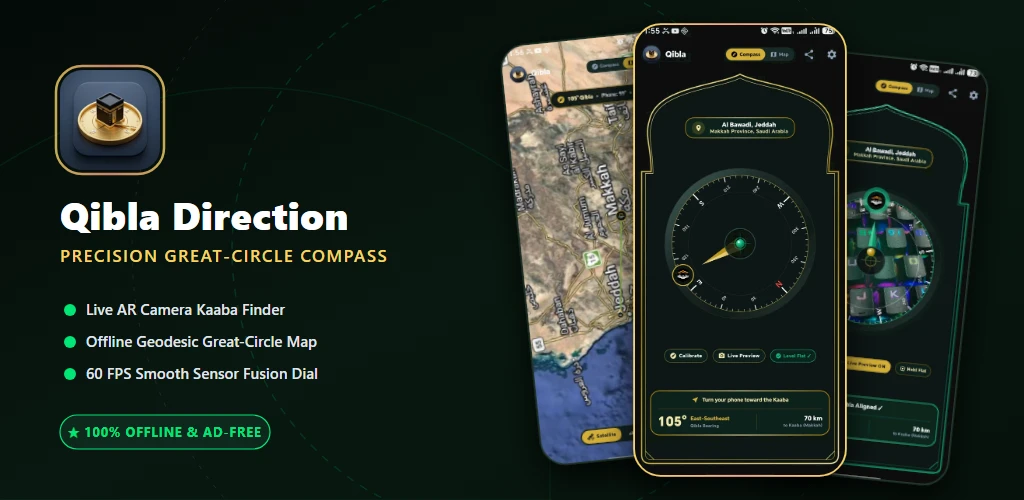
Facing the Sacred Mosque (Al-Masjid al-Haram) during the five daily prayers is a fundamental pillar of Islamic worship. For over a millennium, Muslim astronomers, mathematicians, and navigators developed astrolabes, spherical trigonometry, and sun dial quadrants to determine the exact azimuth toward Makkah from any point on Earth. Yet, in the smartphone era, many digital Qibla applications fail at this basic task—plagued by erratically spinning needle dials, outdated compass sensors, slow web trackers, and distracting full-screen advertising pop-ups that interrupt moments of spiritual serenity.
Qibla Direction was engineered from the ground up to solve these technological limitations. By combining hardware sensor fusion (Rotation Vector, Accelerometer, Magnetometer) with spherical Great-Circle navigation equations, this lightweight Android utility delivers instant mathematical certainty. Whether you are at home, checking into a hotel room during international travel, camping in remote mountain valleys with zero internet connectivity, or boarding a flight at 35,000 feet, Qibla Direction ensures your prayer rug is aligned with millimeter precision.
📑 Table of Contents
- The Mathematics of Qibla: Great-Circle Forward Azimuth
- Hardware Sensor Fusion: Eliminating Compass Jitter & 360° Flips
- 1. Fluid 60 FPS Canvas Compass & Haptic Alignment Sentinel
- 2. Live Satellite & OpenStreetMap Geodesic Trajectory
- 3. High-Precision Real-Time Live Map Alignment
- 4. Real-Time Magnetometer Health & Figure-8 Calibration
- 5. Obsidian Dark & Pristine Light Islamic Design System
- 6. Topographic Terrain Mapping & Kaaba Distance Metrics
- 7. Live Camera Augmented Reality (AR) Viewfinder
- Practical Step-by-Step Field Usage Guide
- Qibla Direction vs Generic Commercial Prayer Apps
- Technical Specifications & Android Architecture
- Frequently Asked Questions (FAQ)
- Download, Installation & Setup
📐 The Mathematics of Qibla: Great-Circle Forward Azimuth
The Earth is an oblate spheroid. Consequently, calculating the shortest path between two points on the globe is not a straight Euclidean line drawn on a flat paper map (Mercator projection), but a Great-Circle Arc (Orthodrome). Drawing a straight line on a flat map introduces significant angular errors—frequently throwing prayer directions off by 10° to 30°, especially across high-latitude regions such as North America, Northern Europe, and Scandinavia.
Qibla Direction computes the forward azimuth angle θ from the user's current coordinates (φ1, λ1) to the Holy Kaaba in Makkah (φ2 = 21.4225° N, λ2 = 39.8262° E) using spherical trigonometry:
y = sin(Δλ) × cos(φ2)
x = cos(φ1) × sin(φ2) - sin(φ1) × cos(φ2) × cos(Δλ)
θ = atan2(y, x) (mod 360°)
Simultaneously, the physical distance d across the Earth's surface (mean radius R = 6,371.0 km) is derived using the exact Haversine formula, providing real-time kilometer and mile metrics directly to the Kaaba walls.
⚡ Hardware Sensor Fusion: Eliminating Compass Jitter & 360° Flips
Most basic compass apps suffer from two major software defects:
- High-Frequency Noise & Shaking: Tiny hand tremors and electromagnetic fluctuations cause compass dials to vibrate erratically.
- The 0°/360° Boundary Flip: When an orientation transitions from 359° to 1°, naive animation interpolators calculate a full 358° counter-clockwise rotation instead of a smooth 2° clockwise increment.
- Dual-Tier Hardware Fallback: Utilizes Android's fused
Sensor.TYPE_ROTATION_VECTOR(combining gyroscope, accelerometer, and magnetic field) with automatic graceful degradation toTYPE_ACCELEROMETER+TYPE_MAGNETIC_FIELDfor older hardware. - Continuous Angle Unwrapping: Mathematical unwrapping ensures seamless 360-degree rotation transitions without rapid spinning artifacts.
- Adaptive Exponential Smoothing (Low-Pass Filter): Suppresses high-frequency micro-tremors while maintaining lightning-fast 60 FPS responsiveness when turning your body.
🔍 Deep-Dive Feature Breakdown
🧭 1. Fluid 60 FPS Canvas Compass & Haptic Alignment Sentinel
The primary compass screen is rendered natively on a hardware-accelerated Compose Canvas. Every tick mark, cardinal degree indicator (N, E, S, W), and Kiswah gold pointer is drawn mathematically with zero raster pixelation on high-density AMOLED displays.
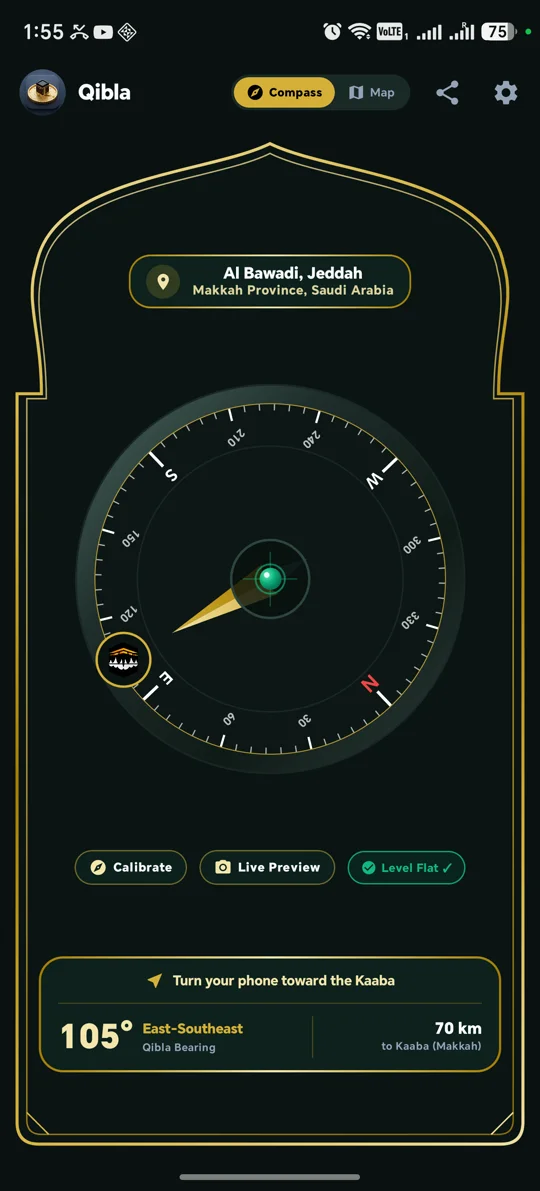
Figure 1: High-precision real-time compass displaying live heading, calculated Qibla bearing, and active alignment indicators.
- Target Alignment Zone (±3° Precision): Once your phone aligns within a tight 3-degree window of the true Qibla bearing, the compass ring shifts into an intense radiant emerald green glow.
- Subtle Haptic Pulse: The device triggers a tactile vibration pulse confirming alignment, allowing you to establish orientation without staring continuously at the screen.
- Live Numeric Readout: Clearly displays your current compass heading (e.g., 294° NW), the required Qibla bearing (e.g., 295.2° WNW), and your offset angle in real time.
🗺️ 2. Live Satellite & OpenStreetMap Geodesic Trajectory
In dense urban high-rises or industrial facilities, steel beams and electrical conduits can occasionally distort magnetic sensors. For absolute optical certainty, Qibla Direction includes an integrated interactive map mode powered by OpenStreetMap and satellite imagery.
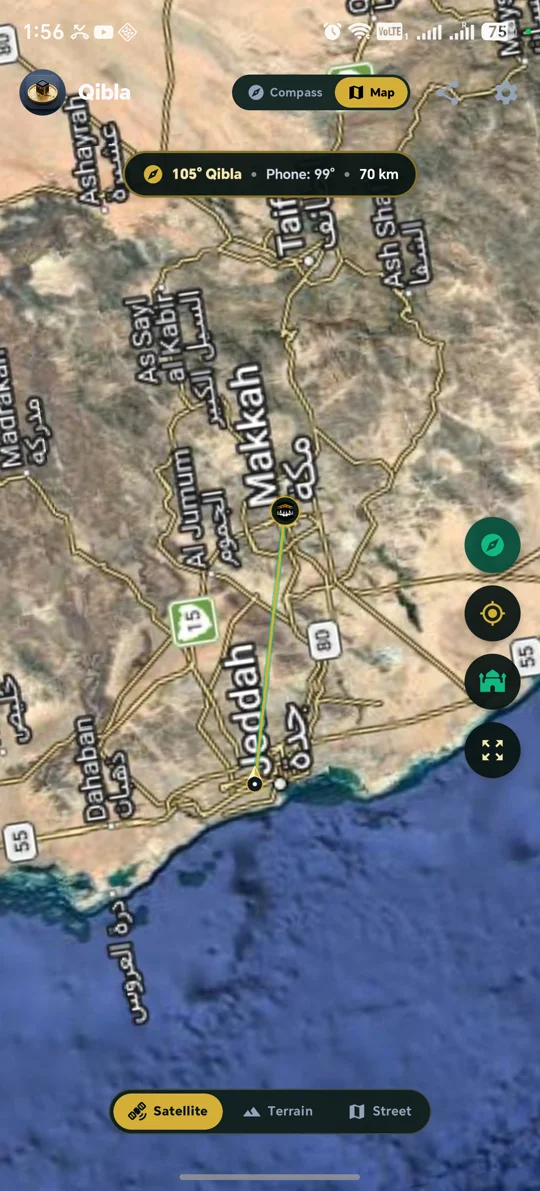
Figure 2: Interactive map overlay showing the true geodesic trajectory connecting the user's position directly to the Kaaba.
- Geodesic Great-Circle Polyline: Draws a curved optical path from your GPS location directly to the center of the Kaaba in Makkah.
- Visual Architectural Alignment: Zoom in on your exact building, hotel, or street to align your prayer rug with visible physical landmarks.
🛰️ 3. High-Precision Real-Time Live Map Alignment
Dynamic visual orientation tracking with live GPS triangulation:
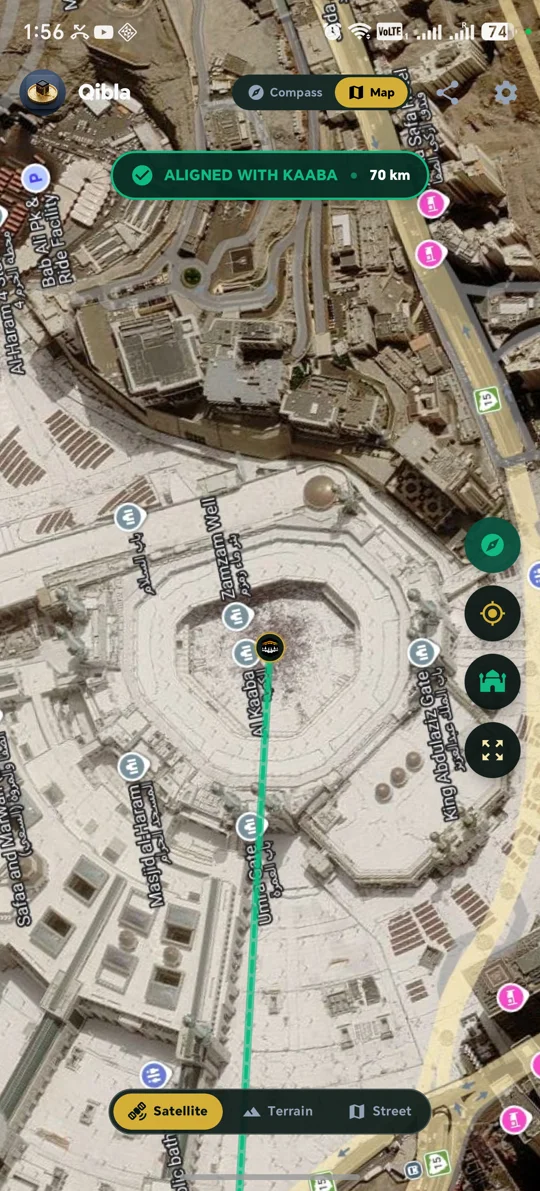
Figure 3: Live real-time map orientation rendering instant bearing trajectories.
🔄 4. Real-Time Magnetometer Health & Figure-8 Calibration
Smartphones frequently accumulate residual magnetic offsets when placed near laptop chargers or magnetic phone cases. Qibla Direction includes an intelligent diagnostic sentinel that continuously monitors hardware sensor accuracy.
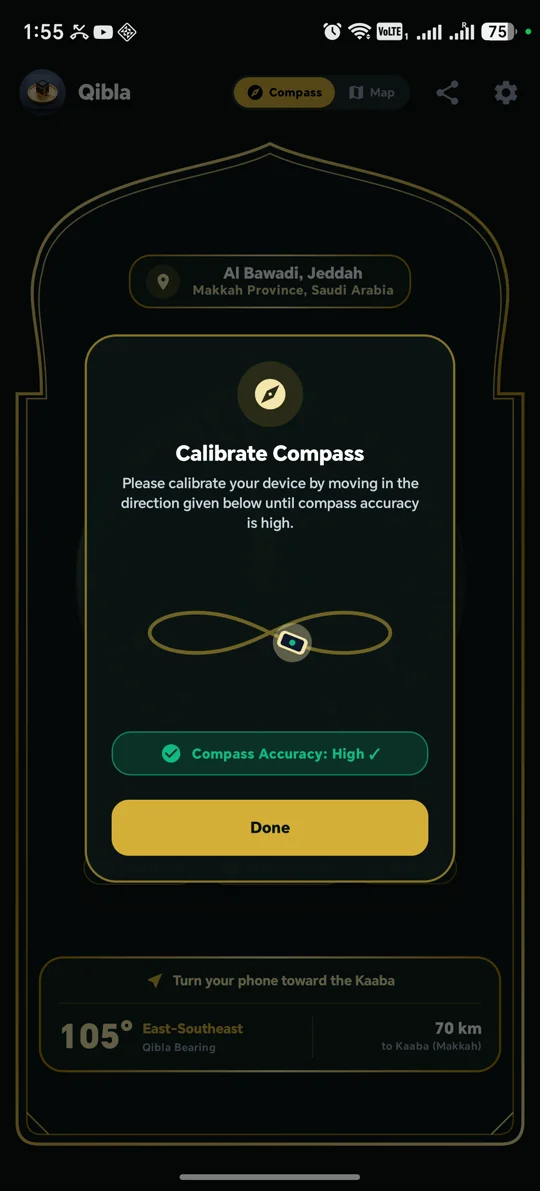
Figure 4: Sensor health dialog with animated figure-8 motion guide for instant magnetic recalibration.
- Magnetic Accuracy Detection: Reads hardware accuracy state (
UNRELIABLE,LOW,MEDIUM,HIGH). - Interactive Calibration Guide: Displays an animated figure-8 waveform prompt to help you re-calibrate your phone's internal magnetometer in under 5 seconds.
🎨 5. Obsidian Dark & Pristine Light Islamic Design System
Crafted adhering to Google's Material 3 design language, Qibla Direction features a refined aesthetic inspired by the Kiswah of the Holy Kaaba:
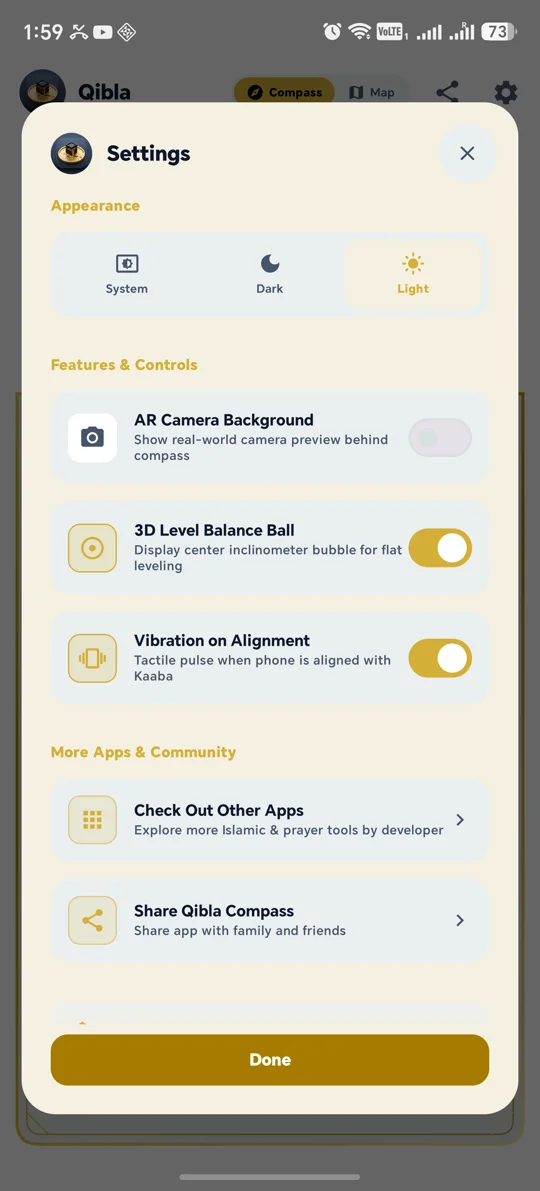
Figure 5: High-contrast Obsidian Dark theme engineered for OLED battery conservation and low-light night worship.
- Obsidian Dark Mode: Pure #000000 black background tailored for OLED displays, conserving battery life while offering glare-free nighttime visibility during Tahajjud and Fajr.
- Metallic Kiswah Gold Accents: Sophisticated gold graduation marks and compass needles reflect classical Islamic astronomy.
🏔️ 6. Topographic Terrain Mapping & Kaaba Distance Metrics
Detailed terrain topography contours and geographical elevation mapping:
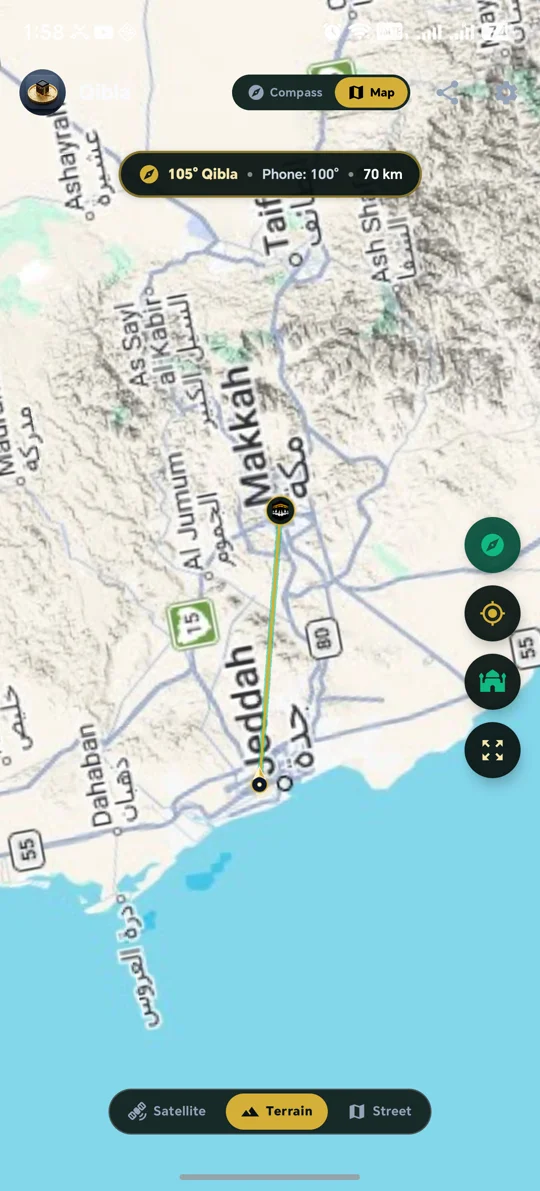
Figure 6: Topographic terrain view with real-time distance and altitude metrics.
📷 7. Live Camera Augmented Reality (AR) Viewfinder
Experience orientation through immersive visual reality. Utilizing Android's native Camera framework, Qibla Direction projects an Augmented Reality 3D Kaaba beacon directly onto your real-world camera feed:
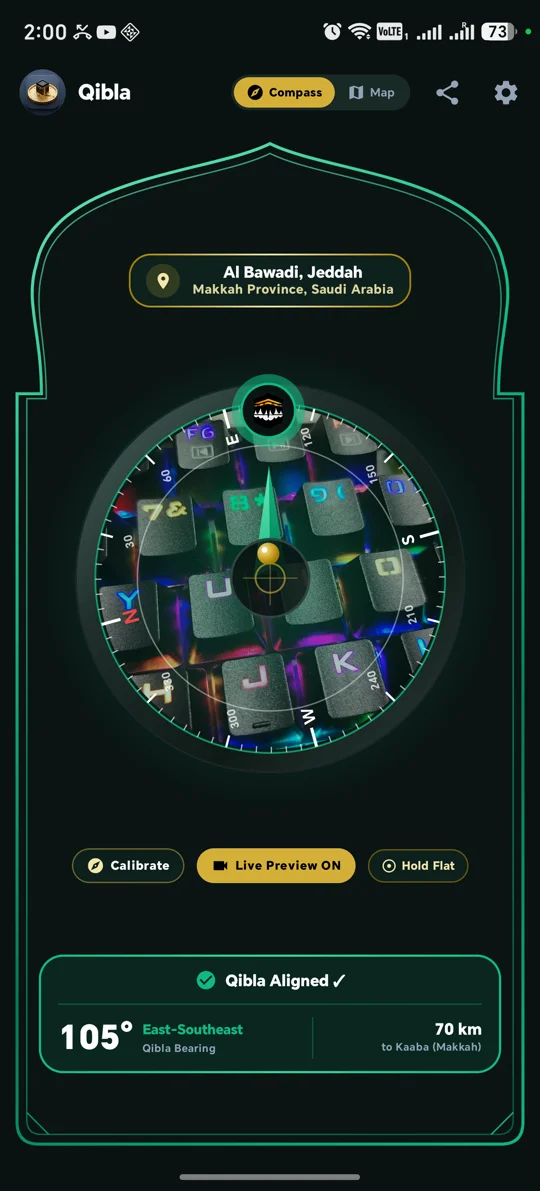
Figure 7: Live AR camera viewfinder overlaying the Kaaba bearing over the real-world environment.
📖 Practical Step-by-Step Field Usage Guide
- Place Phone on Flat Surface or Hold Level: Hold your device horizontally parallel to the ground to ensure the internal triaxial magnetometer and accelerometer sensors remain balanced.
- Perform Figure-8 Calibration: If the app signals low magnetic accuracy, wave your phone in a smooth figure-8 pattern in the air for 3 to 5 seconds.
- Turn Toward the Compass Pointer: Rotate your body until the Kiswah gold needle aligns with the top indicator and the compass ring illuminates in emerald green with a gentle haptic pulse.
⚖️ Comparison: Qibla Direction vs Generic Apps
| Feature | Qibla Direction (Ours) | Generic Free Apps |
|---|---|---|
| Privacy & Telemetry | 100% Offline / Zero Trackers | Heavy third-party analytics |
| Calculation Method | Spherical Great-Circle Arc | Flat planar approximations |
| Rendering Performance | Native 60 FPS Compose Canvas | Laggy webview / 30 FPS |
| Ads & Monetization | 100% Free & Ad-Free | Full-screen interstitial ads |
🛠️ Technical Specifications & Architecture
- Framework: Android Native (Kotlin 2.0+ / Jetpack Compose)
- Target SDK: Android 14 / 15 (API level 34+)
- Minimum SDK: Android 7.0 Nougat (API level 24)
- Sensors:
TYPE_ROTATION_VECTOR,TYPE_ACCELEROMETER,TYPE_MAGNETIC_FIELD - Package Name:
com.naufal.qibla
📥 Download & Installation
Get the official, verified release of Qibla Direction directly on Google Play:

